
Publish a Member Function
For a Member Function to be considered live and usable within the platform, it must have a status of Publish.
To publish a Member Function:
-
Select Program from the top navigation bar, then select Member Functions from the side navigation menu. The Member Functions screen is displayed.
-
On the Member Functions screen, search for and select the desired Member Function (see Search for a Member Function for more information on the available search options). The Member Function Details screen is displayed.
-
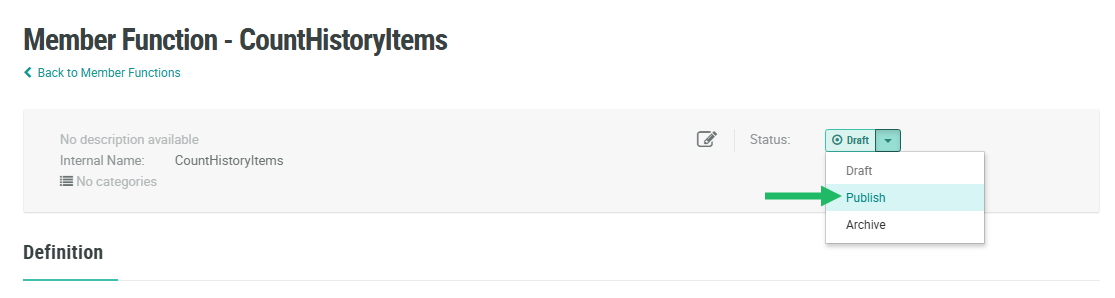
From the Status drop-down menu in the header area, select Publish. A confirmation dialog box is displayed; click Confirm.
After publishing a Member Function, you must deploy metadata in order for the changes to take effect. Please see Deploy Metadata for more details on this process.
